✚
Patient care records
Keep clinical history, consultations, diagnoses, prescriptions, and documents organized in one secure patient profile.
- Electronic medical records
- Vitals and clinical notes
- Prescription history
Connect appointments, patient records, billing, pharmacy inventory, and reporting around your clinic’s workflow. RDigital Marketing helps Philippine healthcare teams plan implementation, configure their system, and train staff.

Give doctors, staff, and administrators the tools they need while keeping every patient journey organized from booking to payment.
Keep clinical history, consultations, diagnoses, prescriptions, and documents organized in one secure patient profile.
Manage online bookings, walk-ins, provider schedules, and the live patient queue without spreadsheet chaos.
Connect consultations to invoices, payments, expenses, stock movements, and management reports.
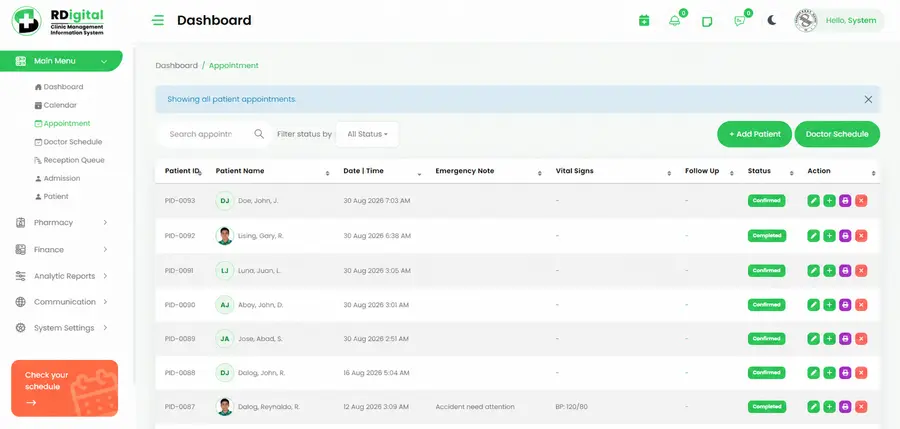
Appointments · Patient records · Doctor schedules
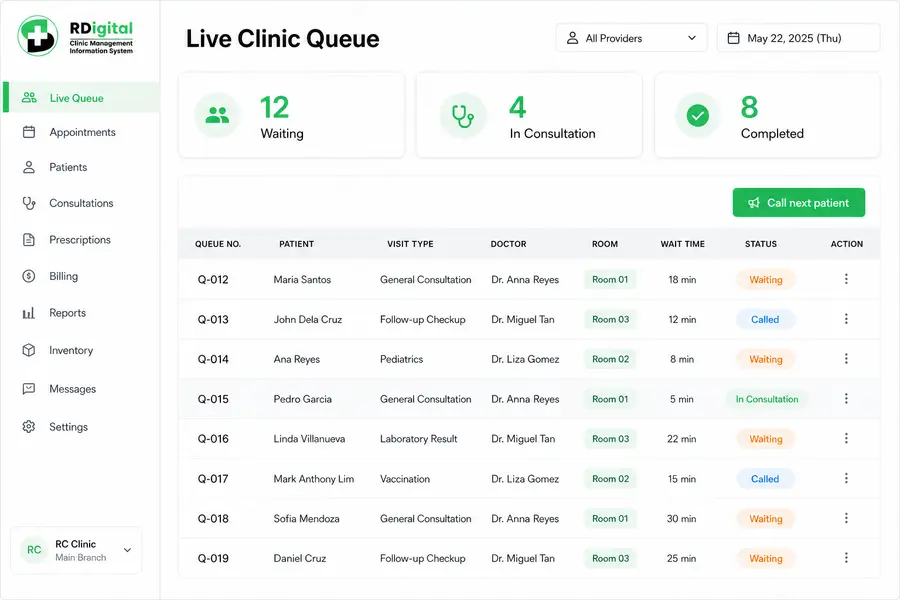
Appointments · Walk-ins · Room status
We configure RDigital around your real workflow, help prepare your data, train your team, and support you beyond launch.
We map your services, providers, forms, roles, and daily patient flow.
We configure the clinic and securely prepare existing patient data.
Doctors and staff learn their workflows through practical sessions.
We launch with you, resolve issues, and help improve adoption.
The best fit depends on your clinic’s services, staff, and budget. Compare systems using one real workflow: booking a patient, documenting a consultation, collecting payment, and updating stock.
Explore our clinic management software and customization approach, review data security responsibilities, or request a workflow assessment.
Pricing is tailored to clinic size, users, branches, and migration needs. Choose the closest fit and request an exact proposal.
Replace paper and spreadsheets with a simple digital patient workflow.
Coordinate doctors, staff, finances, and inventory from one shared system.
Centralized management, custom workflows, and integrations for larger groups.
Compare systems against a real clinic workflow: booking, consultation, payment, and stock updates. Ask to see staff permissions, reporting, data export, implementation responsibilities, and support terms. The best fit depends on your clinic’s needs and budget.
RDigital offers workflow configuration and discusses custom forms and integrations during assessment. Confirm the included modules, development scope, dependencies, and acceptance criteria in your proposal before proceeding.
Data migration starts with reviewing your existing format, record quality, and access permissions. Agree which records will move, how they will be checked, and who approves the transfer. Do not send patient records through the public enquiry form.
The proposal depends on users, branches, modules, customization, data preparation, and training needs. Ask for a breakdown of setup, recurring costs, third-party services, and ongoing support.
Tell us about your clinic type, team, and current booking-to-payment process. We discuss the workflows you want to improve and the requirements to cover in a system demonstration and proposal.
Implementation planning covers team training and support arrangements. Confirm the sessions, support channels, availability, and response targets in your clinic’s agreement.
Tell us about your practice and whether you would like a workflow assessment or system demonstration. We’ll discuss your requirements, implementation scope, and next steps. Please do not include patient information.